
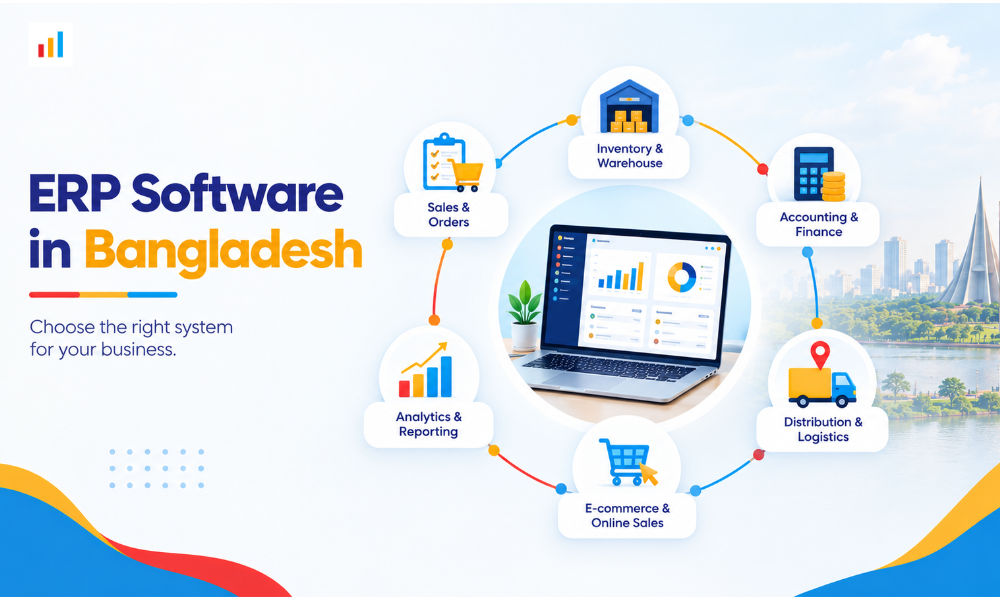
Choosing the right ERP software in Bangladesh is an important decision for businesses looking to manage inventory, sales, accounting, distribution, and daily operations more efficiently.
Many Bangladeshi businesses start with spreadsheets, separate accounting tools, and manual processes. These methods may work initially, but as orders increase, managing stock, monitoring sales teams, coordinating deliveries, and maintaining accurate records becomes more challenging.
The problem is not always a lack of software. Sometimes, businesses invest in systems that do not match their actual workflows.
So, which ERP software is best for your business in Bangladesh? Should you choose an existing software product or invest in a custom ERP solution?
In this guide, I’ll explain what to consider when choosing ERP software, how to evaluate costs and features, and when a custom solution might be the better option for your business.
What Should You Look for in ERP Software in Bangladesh?
Before comparing software providers, identify the problems you want to solve. The right ERP system should address your operational challenges rather than simply offer a long list of features.
Here are some essential areas to evaluate.
1. Inventory and Stock Management
Inventory management is a major concern for retailers, wholesalers, distributors, and e-commerce businesses in Bangladesh.
Without a reliable system, businesses may struggle with inaccurate stock records, duplicate orders, missing products, and unexpected shortages.
Look for ERP software that supports:
- Real-time inventory tracking.
- Multiple warehouses and branch locations.
- Stock transfers between locations.
- Purchase and sales order management.
- Low-stock notifications.
- Product returns and adjustments.
- Inventory reports.
If your business operates across multiple locations, confirm that the system can provide a consolidated view of stock while allowing you to monitor each warehouse separately.
2. Sales and Distribution Management
For manufacturers, importers, wholesalers, and distributors, managing sales representatives and delivery operations can be just as important as managing inventory.
Consider ERP software that can help you:
- Record orders from sales representatives.
- Track sales targets and performance.
- Manage retailers, dealers, and distributors.
- Monitor outstanding payments.
- Coordinate deliveries.
- Generate sales performance reports.
For example, a distribution company serving retailers across Dhaka and other districts may need to monitor field sales activities, product availability, outstanding balances, and delivery status from one system.
A well-designed ERP solution can help bring these activities together, reducing dependence on separate spreadsheets and disconnected tools.
3. Accounting and Financial Reporting
Financial information should be accessible and consistent across your business.
Depending on your requirements, useful capabilities may include:
- Sales and purchase records.
- Customer and supplier balances.
- Expense tracking.
- Invoice management.
- Accounts receivable and payable.
- Financial reporting.
- VAT-related reporting and documentation.
If your business needs specific VAT or tax functionality, ask the provider to demonstrate how the system supports your requirements. Do not assume every ERP product handles every local compliance requirement automatically.
Also, confirm whether the accounting module meets your existing financial reporting needs or requires additional configuration.
4. E-commerce and Order Management
If you sell products online, inventory and order management become particularly important.
Your website, stock records, and order processing workflows should work together as smoothly as possible.
Depending on your business model, look for capabilities such as:
- Centralized order management.
- Product and inventory synchronization.
- Order processing and fulfillment.
- Customer information management.
- Returns and refunds.
- Sales reporting across channels.
- Integration with payment gateways and courier services.
Before purchasing, verify which integrations are already available and which require additional development.
For businesses operating through websites, social media, physical stores, and wholesale channels, an integrated system can make it easier to manage operations without maintaining separate records for each sales channel.
Best ERP Software Options for Businesses in Bangladesh
There is no single ERP system that is ideal for every business. A small retailer, a growing e-commerce company, and a large distribution network may have very different requirements.
Rather than choosing software based only on popularity, consider these three approaches.
1. Ready-Made ERP Software
Ready-made ERP software comes with existing modules and features that businesses can configure to suit their needs.
This can be a practical option if your operations follow relatively standard processes and the software already provides the functionality you require.
Potential advantages include:
- Existing features that may be ready to use.
- Established workflows and reporting tools.
- Less need to develop every feature from scratch.
- Subscription or licensing options, depending on the provider.
However, not every product will support your preferred workflows. Customization may be limited, expensive, or dependent on the vendor’s development capabilities.
Before choosing a product, request a demonstration using scenarios that reflect your actual business operations.
2. Cloud-Based ERP Software
Cloud-based ERP systems allow authorized users to access business information through an internet connection, depending on the platform and its configuration.
This can be useful for businesses operating multiple branches or managing teams across different locations.
When evaluating a cloud-based system, consider:
- Hosting and recurring costs.
- User permissions and access controls.
- Backup and recovery arrangements.
- Data security.
- Internet connectivity requirements.
- Availability of technical support.
- Data export and migration options.
Cloud-based software is not automatically the best choice for every business. Evaluate its costs, security arrangements, and operational requirements before making a decision.
3. Custom ERP Software
Custom ERP software is developed or configured around a business’s specific requirements.
Instead of changing your entire workflow to fit an existing product, you can define the modules, integrations, reports, and business processes the system needs to support.
Custom development may be worth considering if your business has requirements such as:
- Specialized inventory or distribution workflows.
- Multiple warehouses and branches with different operating procedures.
- Industry-specific reporting.
- Custom sales team management.
- Integration with existing websites or internal applications.
- Specialized approval processes.
- Business rules that standard software cannot accommodate.
For example, a Bangladeshi importer may need a system that connects purchasing, warehouse inventory, field sales, retailer orders, delivery coordination, and financial reporting.
If available products cannot support these requirements effectively, a custom ERP solution may offer a better fit.
The trade-off is that custom projects require careful planning, development, testing, and ongoing maintenance. Costs and delivery timelines depend on the project’s scope.
How Much Does ERP Software Cost in Bangladesh?
ERP software prices in Bangladesh vary depending on the provider, number of users, required modules, implementation complexity, and level of customization.
Some businesses can use an existing subscription-based product. Others may need a more extensive implementation or a system developed around their specific requirements.
Instead of comparing prices alone, understand what is included in the total cost.
Factors That Affect ERP Software Pricing
- Number of users
The number of employees who need access may affect subscription fees, licensing costs, or system configuration.
- Required modules
A business that needs inventory and sales management may have different requirements from one that also needs accounting, manufacturing, HR, payroll, and distribution management.
- Customization
Additional workflows, reports, dashboards, and specialized business rules may increase development costs.
- Integrations
Connecting ERP software with an e-commerce website, payment service, courier provider, or existing business application may require additional configuration or development.
- Data migration and implementation
Moving existing records into a new system, configuring the software, testing workflows, and training employees can contribute to the overall cost.
- Ongoing maintenance
Ask about technical support, updates, hosting, backups, security maintenance, and future development before committing to a solution.
How to Evaluate an ERP Quotation
When requesting quotations from ERP providers in Bangladesh, ask for a clear breakdown of:
- Initial setup or development costs.
- Included features and modules.
- Customization charges.
- Implementation and training fees.
- Third-party integration costs.
- Recurring subscription or hosting fees.
- Support and maintenance costs.
Also, confirm who owns the data, how you can export it, and what happens if you decide to change providers later.
My advice: Compare the total cost of operating the system over several years rather than choosing the cheapest initial quotation. A low-cost product may become expensive if essential features require substantial customization.
Custom ERP vs. Ready-Made ERP: Which Is Better?
Both options can work well. The better choice depends on how closely an existing product matches your business requirements.
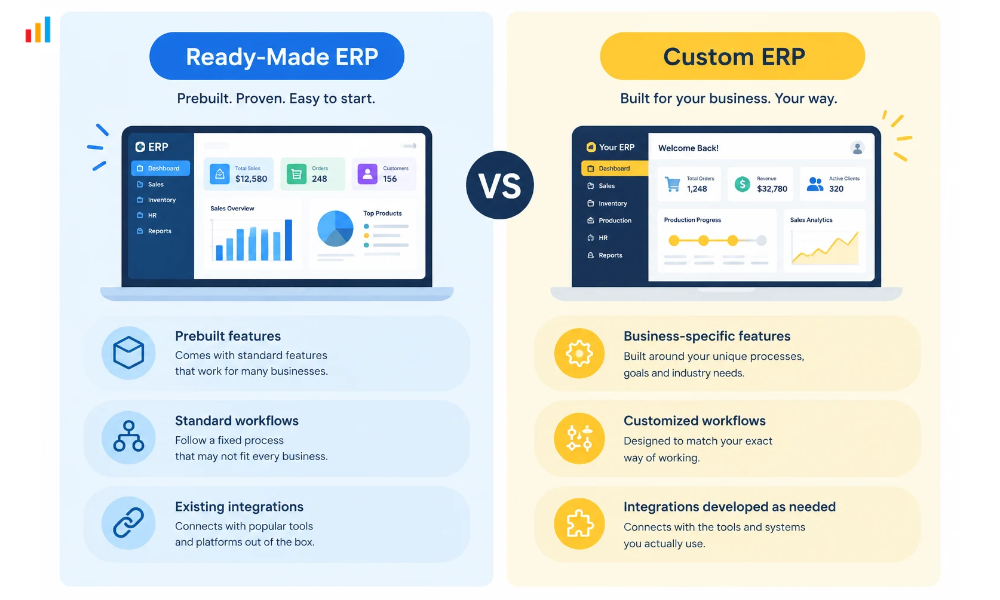
| Consideration | Ready-Made ERP | Custom ERP |
| Features | Uses existing functionality | Developed around agreed requirements |
| Implementation | Depends on setup and complexity | Depends on development scope |
| Customization | Varies by provider | Can accommodate specialized workflows |
| Integrations | Depends on available connectors and APIs | Can be developed for required integrations |
| Initial costs | Depends on licensing and configuration | Depends on development requirements |
| Ongoing costs | May include subscriptions and support | May include hosting, maintenance, and further development |
| Best suited for | Businesses with standard requirements | Businesses needing specialized processes |
When Should You Choose Ready-Made ERP?
Ready-made software may be suitable if:
- Your business processes are relatively standard.
- The software already includes the required modules.
- Your budget does not allow for extensive development.
- You want to implement an existing product.
- Its integration and customization options meet your needs.
Before purchasing, test the software with realistic examples from your daily operations.
When Should You Consider Custom ERP?
Custom ERP development may be a better fit if:
- Your current software cannot support important business processes.
- You rely heavily on manual work between separate systems.
- You need specialized reporting or approval workflows.
- Your inventory, sales, and distribution processes require specific functionality.
- You need integrations that existing products do not adequately support.
- You want greater control over future feature development.
Custom software is not automatically better simply because it is custom-built. It still needs clear requirements, a realistic budget, proper testing, and a dependable development partner.
The goal is to find a solution that supports your business without introducing unnecessary complexity.
ERP Software for Different Industries in Bangladesh
Business requirements vary by industry. When evaluating ERP software, prioritize the features that address your sector’s most important operational challenges.
ERP for E-commerce Businesses
Online businesses need accurate inventory records, efficient order processing, and visibility into sales performance.
An ERP solution may help connect product information, inventory, orders, purchasing, and reporting.
If you sell through multiple channels, check whether the system can synchronize stock and orders across those channels. Also, verify whether it supports your preferred payment and courier integrations.
ERP for Manufacturers
Manufacturers may need to manage raw materials, purchasing, production activities, finished goods, and inventory movements.
Depending on the manufacturing process, useful features may include production planning, material requirements, supplier management, and production cost reporting.
Before selecting software, confirm that it supports your actual production workflow rather than assuming every ERP system includes manufacturing functionality.
ERP for Importers and Distributors
Importers and distributors often need visibility across purchasing, warehouse operations, field sales, retailer orders, deliveries, and customer balances.
Important features may include:
- Multi-warehouse inventory management.
- Sales representative tracking.
- Customer and retailer management.
- Order and delivery monitoring.
- Stock transfers.
- Sales targets and performance reports.
- Financial and operational reporting.
For businesses with extensive distribution networks, bringing these activities together can make it easier to monitor operations across branches and sales teams.
ERP for SMEs and Growing Businesses
Small and medium-sized businesses do not necessarily need a large, complicated ERP implementation.
Start by identifying the processes that consume the most time or create the most errors. For some businesses, inventory and sales management may be sufficient initially. Others may need accounting, purchasing, distribution, or customer management.
Choose software that meets your current needs while offering a realistic path to expansion.
You can also explore our related guide to the best ERP software for SMEs in Bangladesh for more information about solutions for smaller businesses.
How to Choose an ERP Software Provider in Bangladesh
Choosing the right provider is just as important as choosing the software itself.
A system may offer excellent features but still fail to deliver value if implementation, training, or support is inadequate.
Before making a decision, consider these factors.
1. Understand Your Business Before Requesting a Demo
List your current challenges and the outcomes you expect from the new system.
For example, you might want to reduce stock discrepancies, improve delivery coordination, monitor sales representatives, or simplify reporting.
Use these requirements to evaluate each provider.
2. Ask for a Demonstration Based on Real Workflows
Avoid relying entirely on a general product presentation.
Ask the provider to demonstrate how the system would handle scenarios relevant to your business, such as:
- Processing a customer order.
- Updating inventory after a sale.
- Transferring stock between warehouses.
- Recording a purchase.
- Monitoring an outstanding customer payment.
- Generating a management report.
This helps you understand whether the system fits your actual operations.
3. Check Customization and Integration Capabilities
Ask what you can configure yourself, what requires the provider’s involvement, and whether additional development is possible.
If your business depends on a specific payment gateway, courier service, accounting application, or e-commerce platform, confirm the integration requirements before signing an agreement.
Request a clear distinction between features that are available now and features that would need to be developed.
4. Evaluate Training and Support
Employees need to understand how to use the system correctly.
Ask whether implementation includes user training, documentation, technical support, and assistance with initial configuration.
You should also clarify support availability, response expectations, maintenance responsibilities, and the process for requesting new features.
5. Plan for Future Growth
Consider how the system will handle additional branches, warehouses, employees, products, and business processes.
You may not need every feature immediately, but the solution should have a reasonable path for supporting your expected growth.
Let’s Discuss Your ERP Requirements
If your business has outgrown spreadsheets or existing software, a custom ERP solution may help you bring important operations into one system.
At Anbar Software, the focus is on building business software and automation solutions around operational requirements.
One option is Sales Vision, a platform designed for manufacturers, importers, and distributors. Its listed capabilities include sales force automation, multi-warehouse inventory management, distribution and delivery management, and e-commerce functionality. The platform also offers custom feature development.
Depending on your requirements, a project discussion can help determine whether an existing product, additional customization, or a more tailored solution is appropriate.
Before starting any ERP project, it is important to identify the modules you need, the systems you want to connect, the number of users involved, and the workflows the software must support.
Looking for ERP Software for Your Business?
Not sure which ERP software is right for your business? Let’s have a free meeting to discuss your business needs, the challenges you’re facing, and how we can help.
As the founder of Anbar Software, I’d be happy to discuss your requirements and explore how we can build an ERP solution that works for your business.
Just knock on WhatsApp: +880 1718-972262
Frequently Asked Questions
Which ERP software is best in Bangladesh?
The best ERP software depends on your industry, budget, business processes, and required features. Compare several options and test them against your actual workflows before making a decision.
How much does ERP software cost in Bangladesh?
The cost depends on licensing, users, modules, customization, implementation, integrations, and ongoing support. Request an itemized quotation based on your specific requirements.
Is custom ERP better than ready-made ERP?
Not always. Ready-made ERP may suit businesses with standard requirements, while custom ERP can be useful when existing products cannot support important workflows or integrations.
Can ERP software integrate with bKash, Nagad, or courier services?
Yes, ERP systems can support integrations with payment services such as bKash and Nagad, as well as courier services, depending on the available APIs and integration requirements. If existing software does not meet your needs, a custom ERP solution may offer more flexibility.
How long does ERP implementation take?
The timeline depends on the system’s complexity, number of modules, data migration, integrations, customization, and employee training. Ask your provider for a project timeline based on the agreed scope.
Can small businesses in Bangladesh benefit from ERP software?
Yes. Small businesses can benefit when ERP software addresses real operational problems, such as inventory errors, disconnected sales records, or inefficient order processing. The key is choosing a solution that fits the business’s size and budget.