
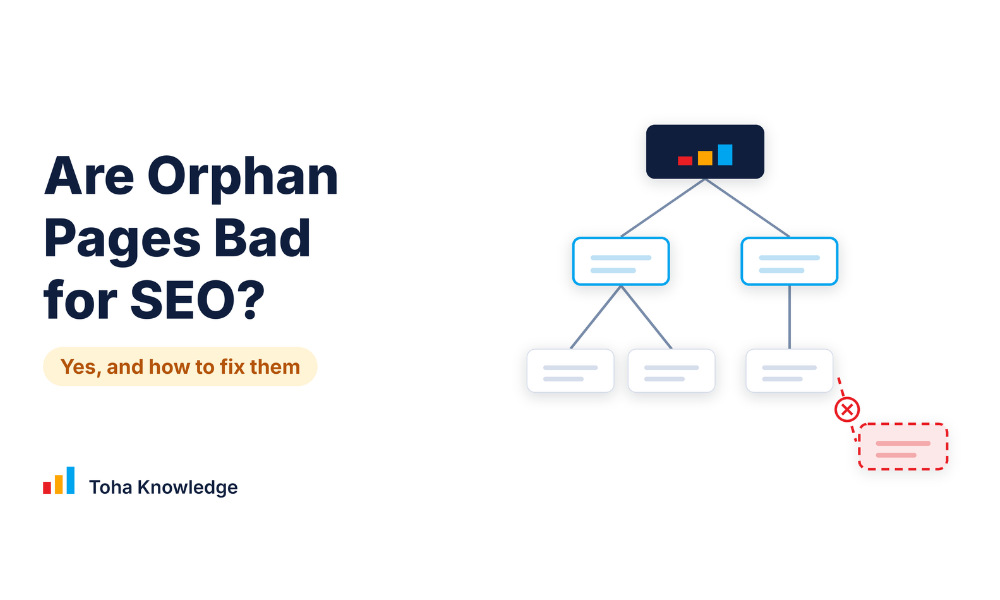
Yes, usually. Google does not describe a penalty for orphan pages, but a page with no internal links is harder to find and gets no link signals from the rest of your site. A few orphan pages are fine on purpose, like thank-you pages. The rest should be linked, merged, redirected or removed.
What are orphan pages?
An orphan page is a page on your website that no other page on your site links to. A visitor cannot click their way to it from your menu, your categories, your footer or your other posts. Pages on a site are connected by links, and an orphan page has nothing pointing to it.
The page can still exist and load. People can reach it through an XML sitemap, a link from another website, a bookmark, a link in an email or an ad, or the direct URL. What it lacks is a path from the rest of your own site.
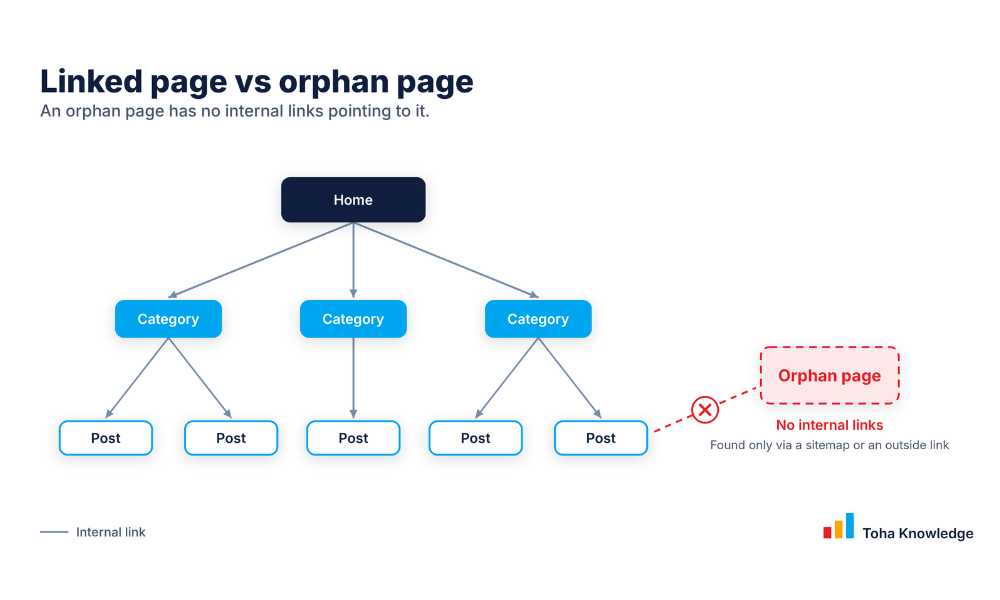
Think of your site as a map of roads. Pages on a road can be reached. An orphan page is a house with no road to it: you can only find it if someone gives you the exact address.
What counts as an internal link?
An internal link is a link from one page on your site to another page on the same site. For a page to avoid being an orphan, at least one other page must link to it. A few details:
- Any page can be the source. A link from your menu, footer, a category page or a related post all count. One link is enough to stop a page being an orphan.
- It must be a normal link. Google follows links written as standard HTML links, and its guidance on crawlable links explains the details. A button or script-only element that is not a real link may not be followed.
- A link from an orphan page does not rescue another page. If page B is linked only from page A, and page A is itself an orphan, both pages are cut off from the rest of your site.
Orphan page vs dead-end page
The two are often mixed up. An orphan page has no links coming in. A dead-end page receives links but has no links going out, so visitors who arrive have nowhere to go next. Both are fixed with internal links, but they are different problems.
Common examples of orphan pages
- A blog post that was published but never added to a category, menu or related post.
- A service or product page that was left out of the new menu after a redesign.
- An old campaign or event page that was unlinked but never deleted.
- A page created for a test, or generated by a plugin, that nothing links to.
Not every orphan page is a mistake. Some are left unlinked on purpose, as covered in “When orphan pages are okay” below.
Why are orphan pages bad for SEO?
Orphan pages are not punished. Google does not describe a penalty for them, and one orphan page will not drag down the rest of your site. The harm is indirect. An orphan page is like a room with no door: it exists, but nobody inside your site can get to it, and the signals that normally travel through your links never reach it. Here is what that costs you.
They are harder to find and index
Google finds pages in two main ways: by following links on pages it already knows, and by reading sitemaps. It does not crawl every page it discovers, and it never guarantees that a page will be indexed (Google: How Search works). An orphan page is left with only one route, the sitemap or a link from another website.
A sitemap tells Google the URL exists, but it says nothing about where the page fits in your site. Google’s own advice is clear: “Every page you care about should have a link from at least one other page on your site” (Google: crawlable links). Check the Page indexing report in Search Console to see which of your URLs are not indexed and why.
They get no internal link signals
Internal links do two jobs. They give Google a path to the page, and the link text gives Google context about it. Google says good anchor text is “descriptive, reasonably concise, and relevant to the page that it’s on and to the page it links to.”
A page linked from your menu, your key pages and related posts is a page you have told Google belongs to your site. An orphan page gets none of that from you. This is a missed opportunity, not a penalty, and internal links are only one signal among many.
They sit outside your topic structure
Good sites group content by topic: a main guide, with related posts linking to it and back. A post with no links from related content stands alone.
For example, if you publish a detailed guide on email marketing automation but no email, automation or marketing post links to it, Google has only that one page to judge its topic and importance. Links from related posts tie the page to the topic you want it to rank for.
Visitors cannot reach them
People find pages by clicking. If a page has no link from your menu, categories or related posts, the only visitors it gets are those who already have the URL, such as from a search result, a bookmark, an email or an outside link. For a business, that can mean lost sales.
A service page, pricing page or product page that nobody can navigate to will not turn browsing visitors into customers. And a visitor who lands on one finds no related links to keep reading.
They are often forgotten, so they go out of date
Pages with no links rarely show up in menus, crawls or reviews, so nobody updates them. Old prices, outdated advice or a former brand name can stay live, and if the page is indexed, it can appear in search under your name.
They are easy to miss in an audit
A normal site crawl follows links, so it cannot see a page that has none. That is why orphan pages often go unnoticed until you compare a crawl with your sitemap, Search Console and analytics, as shown in the “How to quickly find orphan pages” section below.
How bad is it? It depends on the page. This is a practical rule of thumb, not a Google rating.
| Type of orphan page | How much it matters | Why |
| A page that should rank or sell (service, product, key guide) | High | It loses discovery, context and visitors where you need them most. |
| A useful blog post or resource | Medium | It can still be found, but it misses links and context. Easy to fix. |
| A thin, duplicate or outdated page | Low to medium | Not worth ranking. Redirect or remove it instead of linking to it. |
| An intentional page (thank-you, ad landing, test) | None | It should be noindex and out of the sitemap. |
What about crawl budget? Crawl budget is the set of URLs Googlebot can and wants to crawl on your site. You may read that orphan pages waste it. For most sites this is not the real issue. Google’s crawl budget guide is intended mainly for sites with 1 million or more pages that change weekly, sites with 10,000 or more pages that change daily, and sites where a large share of URLs show as “Discovered – currently not indexed” in Search Console. Google adds that these are not exact thresholds (Google: crawl budget).
For smaller sites, Google says keeping your sitemap current and checking the Page indexing report is enough. So if your site is smaller, focus on discovery and links, and keep crawl budget in mind only if you run a very large site.
The takeaway: orphan pages are rarely an emergency, but they are almost always a missed opportunity. The pages you want to rank or sell should never be orphans.
When orphan pages are okay
Some orphan pages are on purpose: thank-you pages after a form, ad landing pages, private pages and test pages. Keep these out of search with a noindex tag and leave them out of your XML sitemap. Do not block them in robots.txt, because Google then cannot see the noindex tag.
Common reasons orphan pages exist
- A new post is published and never linked from anywhere.
- A menu item or category link is removed.
- A site migration or redesign drops old internal links.
- An old campaign page is left live.
- A plugin or CMS creates pages that nothing links to.
How to quickly find orphan pages
A crawler only finds pages by following links, so it cannot see an orphan page by itself. The method is to compare what a crawl reaches with what exists elsewhere.
Fastest route: a crawler that connects to your sitemap, Search Console and GA4 can do the comparison for you. Sitebulb, for example, can pull in those sources and flag URLs the crawl did not reach, but it is a paid tool. The free method below needs no paid tool.
- Crawl your site. Use a crawler such as the free version of Screaming Frog (it has a URL limit, so check the current one). Export the list of URLs it reaches by following links.
- Export your XML sitemap URLs. Open your sitemap and copy every URL into a sheet.
- Pull URLs that get traffic. Export pages with impressions from Google Search Console and pages with sessions from GA4.
- Compare the lists. Put the crawl list in one column and the other lists in another. In Google Sheets, =COUNTIF(A:A, C2)=0 returns TRUE for any URL in column C that the crawl did not reach. Those are your orphan candidates.
Before you call a URL an orphan, check if it is not a redirect, a duplicate or a URL with tracking parameters. Those show up on the list but are not real orphan pages.
How to fix orphan pages
Decide what each page is, then act.
| If the page is… | Do this | Why |
| Useful and meant to rank | Link to it from 2 to 3 related pages with descriptive anchor text. Add it to a hub page or menu if it is a key page. | Google says every page you care about needs a link from at least one other page. |
| Thin, but has backlinks | 301 redirect it to the closest relevant page. | Keeps the value of the outside links. |
| Duplicate or near-duplicate | Merge it into the main page and redirect, or add a canonical tag. | Stops two pages competing for the same keyword. |
| Outdated and has no value | Return a 404 or 410 and remove it from the sitemap. | Removes a page that helps nobody. |
| Intentional (thank-you, ad landing, test) | Add no-index and keep it out of the sitemap. | These pages should not appear in search. |
After each fix, crawl the site again and check the page in Search Console.
FAQs
Can Google index an orphan page?
Yes. Google can find a page through a sitemap or a link from another website. But Google does not crawl or index every page it finds, so it is not guaranteed.
Do orphan pages hurt rankings?
They lose the signals that internal links provide and are easier for Google to miss. Google does not describe a penalty for them.
How many internal links does a page need?
Google says every page you care about needs a link from at least one other page on your site, and that there is no ideal number of links per page. Link from pages that are really related, using descriptive anchor text.
Want us to find your orphan pages?
A technical SEO audit finds orphan pages, broken links and other problems that hold back your rankings, and shows you what to fix first. Book a free consultation and we will look at your site with you.
Related: Technical SEO for AI search