
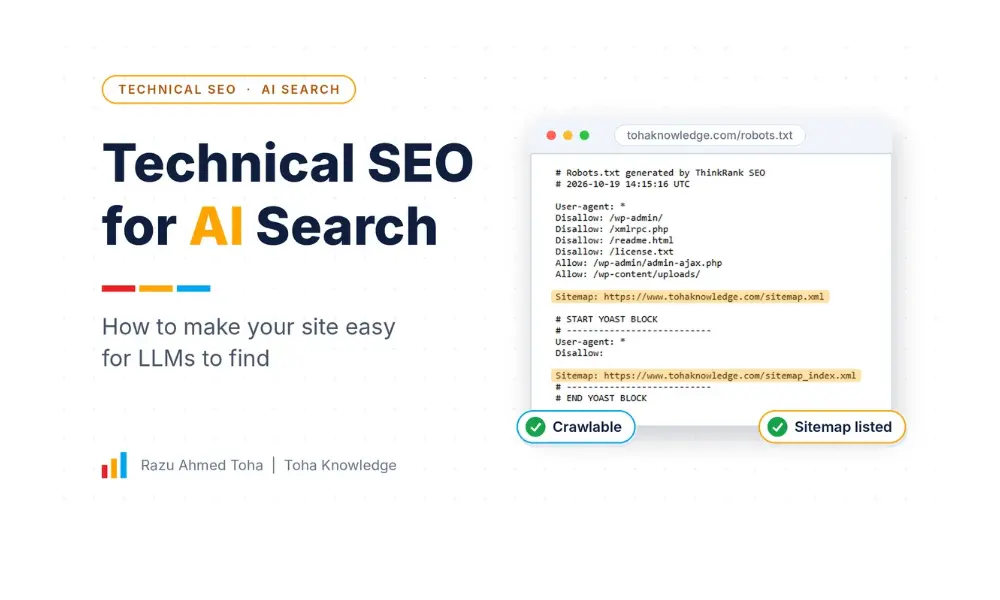
Technical SEO for AI search means making sure AI crawlers can reach your pages, read them without running JavaScript, and understand who wrote them and what they say. If they can’t do those three things, tools like ChatGPT, Claude, Perplexity, and Gemini have nothing to cite.
This guide is for marketers, site owners, and developers. It shows what to check, what to fix, and who should do what. I kept the language simple on purpose.
What Is Technical SEO for AI Search?
Technical SEO for AI search is the work of making your website easy for AI systems to crawl, read, understand, and trust, so they can use your pages when they answer a question.
It is not a new kind of SEO. It is normal technical SEO with a few new questions:
- Are the AI bots allowed in?
- Can they see your text without running scripts?
- Is each page clear enough to quote?
- Can a machine tell who is behind the content?
Good Google SEO helps a lot here. But a site that looks fine in Google can still be hard for AI tools to use, because some AI crawlers are simpler than Googlebot. So the checks below are worth doing even if your rankings look good.
One honest note. Nobody can promise you will be cited by ChatGPT or Gemini. What you can do is remove the technical reasons they would skip you. That is what this guide covers.
Marketer: decide which AI tools you want to be visible in.
Developer: make sure the site lets those tools in and serves readable HTML.
How Do AI Crawlers Find and Read Your Content?
Most AI search tools work in three steps:
- Fetch. A bot visits your page, or the tool uses a search index that was built from earlier visits.
- Read. The page is broken into small pieces of text. Clean HTML and clear headings make this step easy.
- Answer. The AI writes a reply and may link to the sources it used.
Steps 1 and 2 are technical, and that is where sites fail. If a bot is blocked, or the page is empty until JavaScript runs, the AI never gets your text. Many reports say a lot of AI crawlers don’t run JavaScript the way a browser does, so don’t assume they see what you see. Test it. I show how below.
Which AI Bots Should You Allow?
This is the most confusing part, so I will make it simple. AI bots do one of three jobs:
- Search bots build the index that AI search tools use to find and cite pages.
- User bots fetch a page when a person asks the AI to look at it.
- Training bots collect content to train the AI models.
Blocking a training bot is not the same as blocking a search bot. Many site owners mix them up and block everything, then wonder why they never show up.
| Bot | Company | What it does | My suggestion |
| OAI-SearchBot | OpenAI | Builds the index for ChatGPT search | Allow |
| ChatGPT-User | OpenAI | Fetches a page when a user asks | Allow (robots.txt may not apply to it) |
| GPTBot | OpenAI | Collects content for model training | Your choice |
| Claude-SearchBot | Anthropic | Search | Allow |
| Claude-User | Anthropic | Fetches pages on a user’s request | Allow |
| ClaudeBot | Anthropic | Training | Your choice |
| PerplexityBot | Perplexity | Builds its search index | Allow |
| Perplexity-User | Perplexity | Fetches pages on a user’s request | Allow (it generally ignores robots.txt) |
| Googlebot | Search crawling, and the crawling behind AI Overviews and AI Mode | Allow | |
| Google-Extended | A control token for Gemini training and grounding, not a crawler | Your choice | |
| Bingbot | Microsoft | Bing search | Allow |
Bot names and rules change, so check each company’s own documentation before you copy any of this. OpenAI, for example, says OAI-SearchBot is the one to allow if you want to appear in ChatGPT search, and that ChatGPT-User acts on a person’s request, so robots.txt rules may not apply to it.
Two things people get wrong
- Google-Extended is not a crawler. It is a robots.txt token. It controls whether Google can use your content for Gemini training and grounding. It does not control Google Search or AI Overviews. Google uses its normal crawlers for those, and the controls that affect them are things like nosnippet, data-nosnippet, max-snippet and noindex. So blocking Google-Extended will not remove you from AI Overviews. It can, however, take you out of Gemini app grounding.
- Blocking GPTBot does not remove you from ChatGPT search. Search is handled by OAI-SearchBot. They are separate switches.
Two copy-paste robots.txt options
Option A: Open (best for most business sites). You want to be found, and you are fine with the default rules. If a bot is not mentioned in robots.txt, it is allowed by default. Writing the rules out just makes your intent clear.
User-agent: OAI-SearchBot
Allow: /
User-agent: ChatGPT-User
Allow: /
User-agent: Claude-SearchBot
Allow: /
User-agent: Claude-User
Allow: /
User-agent: PerplexityBot
Allow: /
User-agent: Perplexity-User
Allow: /
Option B: Visible, but not for training. You want to be cited in AI search, but you don’t want your content used to train models.
User-agent: OAI-SearchBot
Allow: /
User-agent: ChatGPT-User
Allow: /
User-agent: Claude-SearchBot
Allow: /
User-agent: PerplexityBot
Allow: /
User-agent: GPTBot
Disallow: /
User-agent: ClaudeBot
Disallow: /
If you also add Google-Extended with Disallow, remember it affects both training and grounding in Gemini, so you may lose Gemini citations too.
Two more facts. First, robots.txt is a request, not a lock. Well-behaved bots follow it, and others may not. If you must protect something, use a login or firewall rules. Second, changes can take about a day to show up. OpenAI says this for its search bot.
Marketer: pick Option A or B, based on your goal. Developer: add it to robots.txt, and check that no old rule like User-agent: * with Disallow: / blocks everyone.
How to Check If AI Bots Can Reach Your Site (5-Minute Test)
Robots.txt is only half of it. Your firewall, CDN, or security plugin can block AI bots before they reach a page. Run these checks.
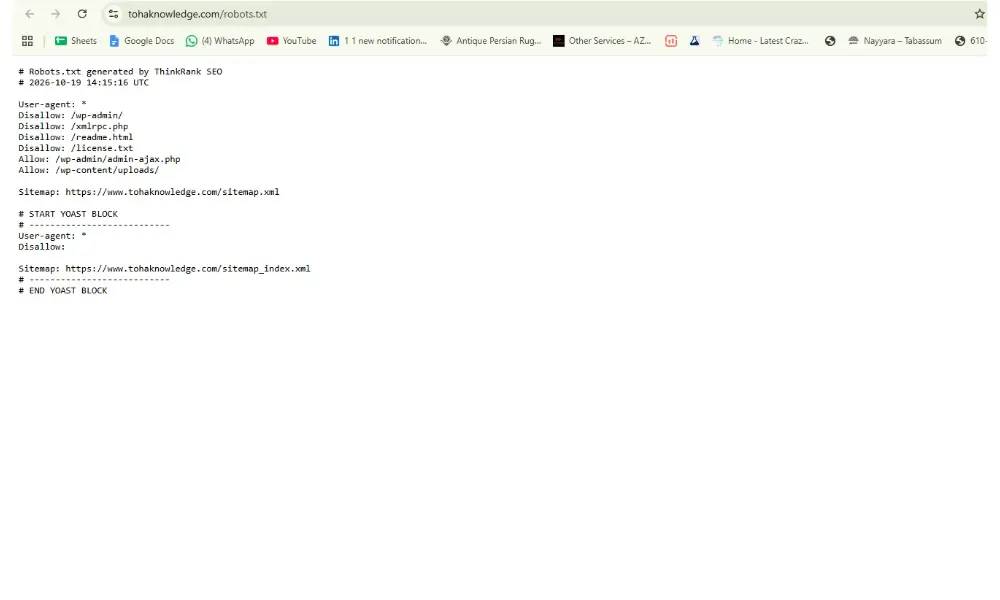
Check 1: Read your robots.txt
Open yoursite.com/robots.txt in your browser. Look for a blanket Disallow: / and for rules naming the bots in the table above.
[ADD SCREENSHOT: your robots.txt]
Check 2: Test the response code
If you or your developer use a terminal, run this to see how your site answers a request that uses a search bot’s name:
curl -I -A “Mozilla/5.0 (compatible; OAI-SearchBot/1.0; +https://openai.com/searchbot)” https://yoursite.com/
You want to see 200 OK. If you see 403 or 429, something is blocking or limiting that bot. This test only copies the bot’s name. Real bots come from published IP ranges, and some firewalls treat those differently. So a pass here is a good sign, not a promise.
Check 3: Search your server logs
Ask your host for access logs, or look in your hosting dashboard. Search for the bot names:
grep -Ei “oai-searchbot|gptbot|claudebot|perplexitybot” access.log
If you see requests with 200 codes, they are getting through. If you see nothing for weeks, or lots of 403 codes, look at your firewall.
Check 4: Look at your CDN and security settings
Cloudflare, Sucuri, Wordfence, and similar tools can have bot protection or “block AI bots” options turned on. Open the settings and see what is switched on. Make sure you are not blocking the search bots you decided to allow.
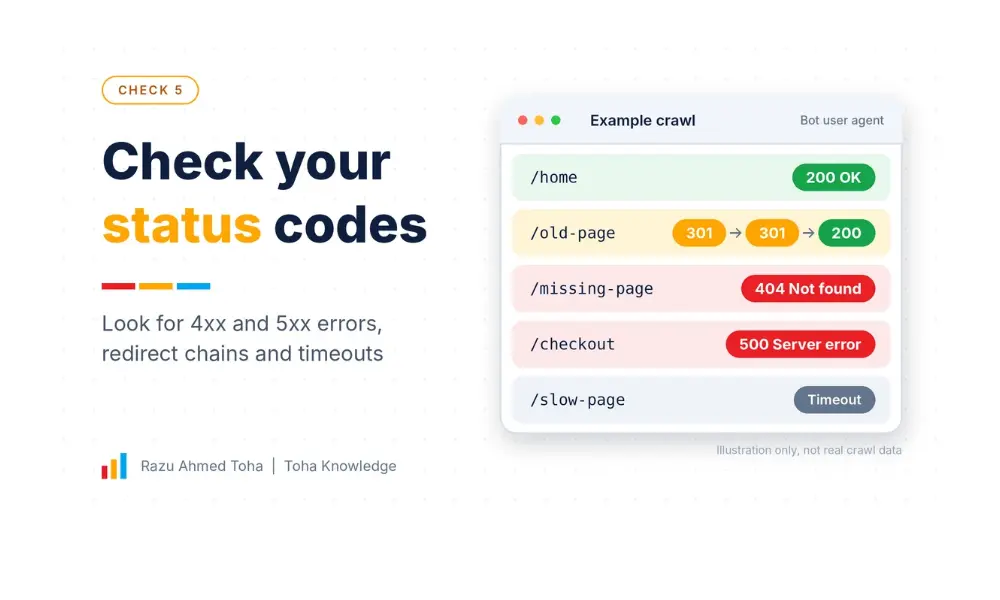
Check 5: Check your status codes
Run a crawl with a tool like Screaming Frog, and set the user agent to a bot name if the tool allows. Look for 4xx and 5xx errors, redirect chains and pages that time out. Bots may give up faster than Googlebot does.
Is Your Content Visible Without JavaScript?
Some sites load their text with JavaScript after the page opens. A browser handles that. A simple bot may see an empty page.
The 30-second test: open your page, right-click, and choose View Page Source. Search (Ctrl+F) for a sentence from your article. If it is there, a simple bot can read it. If it is missing, your text is loaded by script, and some AI tools may never see it.
[ADD SCREENSHOT: view-source of one of your posts]
Watch for these:
- “Load more” buttons and infinite scroll. Content that appears only after a click or scroll may not be in the source. Use normal numbered pagination for important lists.
- Content pulled in by JavaScript widgets, like some review or product feeds.
- Single-page apps that render everything in the browser.
If your site depends on JavaScript for core text, the fix is server-side rendering (SSR) or static generation (SSG). In plain words: the server sends finished HTML, not an empty shell. WordPress does this by default, which is one reason it works well for this.
Marketer: run the View Source test on your top 5 pages. Developer: if text is missing, move to SSR or SSG, or output the key content in the HTML.
How Should You Structure Pages So LLMs Can Pull Answers?
AI tools pick short, clear passages. Your job is to make each section easy to lift on its own.
- Use one H1 and a clean heading order. H1 for the title, H2 for sections, H3 for sub-points. Don’t skip levels.
- Write headings as questions when it fits. “How do you test if AI bots can reach your site?” matches how people ask AI tools.
- Answer first, explain after. Put the direct answer in the first one or two sentences under each heading. Then add detail.
- Keep sections and paragraphs short. One idea per paragraph. Two to four sentences are enough.
- Use lists and tables for comparisons and steps. They are easy for machines and people to scan.
- Use real names, not “we” or “our.” Write “Toha Knowledge” or “Razu Ahmed Toha.” It connects the text to the right brand.
- Use semantic HTML where you can. Tags like <article>, <section>, <header>, and <nav> tell a machine what each part is. Page builders can bury text under many layers of empty wrappers, so keep the structure as flat as you reasonably can.
Do Sitemaps, IndexNow and Internal Links Help?
Yes, they help bots find your pages faster. They are cheap to set up.
- XML sitemap with accurate lastmod dates. It shows what changed and when. Only update lastmod when the page really changed.
- IndexNow. A way to tell participating search engines, such as Bing, about new or updated URLs right away. Google doesn’t use it. Rank Math and some other plugins support it.
- Internal links. Bots follow links. A page with no links pointing to it may never be found. Link related posts to each other, and link each post up to its pillar page.
- A flat structure. Keep important pages within a few clicks of the homepage.
- Descriptive anchor text. “Read our schema markup guide” tells a bot more than “click here.”
What Schema Should You Add for AI Search?
Schema markup is extra code that tells machines what your page is and who is behind it.
Here is the honest version. I have not seen solid proof that adding schema by itself gets you more AI citations, and Google says its AI features don’t need special markup. But schema is still useful. It makes the page, the author, and the company clear and consistent for every system that reads it.
For a blog post, these four are enough:
- Article: headline, author, datePublished, and dateModified.
- Person: the author, with a link to LinkedIn and other profiles.
- Organization: the company or brand, with a logo and profiles.
- BreadcrumbList: where the page sits on your site.
A small example for the author part:
{
“@context”: “https://schema.org”,
“@type”: “Article”,
“headline”: “Technical SEO for AI Search: How to Make Your Site Easy for LLMs to Find”,
“author”: {
“@type”: “Person”,
“name”: “Razu Ahmed Toha”,
“url”: “https://www.tohaknowledge.com/”
},
“datePublished”: “[DATE]”,
“dateModified”: “[DATE]”
}
Don’t add FAQ schema just to get a search snippet. Google has cut back FAQ rich results. Use the markup that matches what is really on the page, and test it in the Schema Markup Validator.
Do llms.txt and Markdown Versions Help?
llms.txt is a plain text file at yoursite.com/llms.txt. It lists your most useful pages in a simple format, as a kind of guide for AI tools. Some people also publish a Markdown version of a page, which is easy for machines to read.
My honest take: I have not seen proof that the major AI search tools use these files to decide what to cite. It costs very little to add one, so it is fine to try. But don’t spend your time here before you fix the basics above.
A simple llms.txt looks like this:
> Guides on AI marketing, automation, and SEO for developers and marketers.
## Key guides
– [Technical SEO for AI Search](https://www.tohaknowledge.com/technical-seo-for-ai-search/): how to make your site easy for LLMs to find
– [AI SEO Guide](https://www.tohaknowledge.com/ai-seo-guide/): AEO and GEO explained
How Do Speed and Core Web Vitals Matter?
A slow, heavy, or error-prone page is harder for every bot, and worse for people. I can’t tell you that a faster site gets cited more. But slow pages and server errors give bots reasons to leave.
The three Core Web Vitals to aim for:
| Metric | What it measures | Good score |
| LCP (Largest Contentful Paint) | How fast the main content shows | Under 2.5 seconds |
| INP (Interaction to Next Paint) | How fast the page reacts to clicks | Under 200 milliseconds |
| CLS (Cumulative Layout Shift) | How much the page jumps around | Under 0.1 |
INP replaced the older FID metric in 2024, so if a guide still tells you to fix FID, it is out of date.
Simple fixes for most WordPress sites: compress images and use WebP, use a caching plugin, remove plugins you don’t use, delay heavy third-party scripts, and use a good host. Test your key pages in PageSpeed Insights.
What Trust Signals Do AI Engines Look For?
AI tools prefer sources that look real and reliable. Make that easy to see.
- A real author with a short bio, photo, and links on every post.
- An About page that says who runs the site and what the company does.
- Organization details: the same name, logo, and profiles everywhere.
- Sources with names and years for any facts or numbers you quote.
- A visible “Last updated” date, and real updates. Don’t change the date without changing the content.
- Original proof: your own tests, screenshots and results.
- Clear contact, privacy, and terms pages.
How Do You Measure AI Visibility?
Be careful here. Most AI visibility numbers are estimates, and no tool is perfect. Use a few simple signals together.
| Method | What it shows | Cost |
| Server logs | Which AI bots visit, and how often | Free (host logs) |
| GA4 referral traffic | Visits from sources like chatgpt.com, perplexity.ai, gemini.google.com and claude.ai | Free |
| Search Console | Impressions and clicks in Google, including pages that may show in AI features | Free |
| Manual prompt tests | Whether your brand or pages show up for questions you want to own | Free |
| AI tracking tools | Estimated mentions and citation share | Paid |
A simple monthly routine: ask 10 important questions in each AI tool, write down whether your site is cited, and compare month to month. Keep the same questions each time.
WordPress and Elementor Checklist
Most small business sites run on WordPress, and many use Elementor. Here is what to check.
- robots.txt: edit it in Rank Math (General Settings, Edit robots.txt) or Yoast (Tools, File editor). Check for a physical file that overrides the plugin.
- Security plugins and firewalls: check rate limits and bot blocking in Wordfence, Cloudflare, and your host. Make sure the allowed bots are not blocked.
- Elementor structure: use Containers instead of many nested sections where possible, so the page has fewer wrapper layers. Keep your key text as real text, not inside images or sliders.
- Load-more and infinite scroll: use numbered pagination for blog and archive pages.
- Caching: use a caching plugin and test that logged-out pages are served as plain HTML.
- Sitemap: let your SEO plugin make it, and submit it in Search Console.
- Schema: let Rank Math or Yoast output Article and Organization, and avoid duplicate blocks from two plugins.
- Images: compress them, add alt text, and use WebP.
- Author box: show a real author with a bio on every post.
- Last updated date: show it on posts, and keep it honest.
Technical SEO for AI Search: The Full Checklist
Access
- robots.txt does not block the search and user bots you want
- You chose a clear policy for training bots
- Firewall, CDN, and security plugins do not block allowed bots
- Key pages return 200, with no long redirect chains
Readability
- Main text appears in View Page Source
- Important lists use normal pagination
- One H1, clean H2 and H3 order
- Each section starts with a direct answer
- Short paragraphs, with lists and tables where they help
Understanding
- Article, Person, Organization, and BreadcrumbList schema are valid
- Real author bio and About page
- Facts have named sources and years
Discovery and speed
- XML sitemap with honest lastmod, and IndexNow if available
- Internal links between related posts and pillar pages
- LCP, INP, and CLS are in the good range
Final Thoughts
AI search is changing how people find businesses, but the first steps are simple and mostly free:
- Decide which AI bots you want to allow.
- Test that they can reach your pages and read your text.
- Make each page clear enough to quote, and show who is behind it.
Start with the 5-minute test, fix what you find, and re-check every few months. Bot names, rules, and AI features keep changing, so I update this guide regularly.
If you want help checking your own site, book a free call with me, and I will walk you through what to fix first.
Frequently Asked Questions
What is technical SEO for AI search?
It is the work of making your site easy for AI tools to crawl, read, understand and cite. It covers bot access, readable HTML, clear page structure, schema, speed and trust signals.
Should I allow GPTBot, ClaudeBot and PerplexityBot?
It depends on what you want. If you want to appear in AI search, allow the search bots such as OAI-SearchBot, Claude-SearchBot and PerplexityBot. GPTBot and ClaudeBot are training bots, so allowing or blocking them is a choice about training, not visibility in search.
Does blocking Google-Extended hurt my Google rankings?
No. Google says the token does not affect inclusion or ranking in Google Search. It also does not remove you from AI Overviews. It controls Gemini training and grounding, so blocking it can reduce your presence in Gemini apps.
Do I need llms.txt?
Not as a priority. I have not seen proof that major AI search tools rely on it. It is cheap to add, so you can try it after the basics are done.
Does schema help me get cited by ChatGPT?
There is no solid proof that schema alone increases citations. It still helps machines understand your page, your author and your company, so it is worth adding the basics.
How do I know if AI tools are visiting my site?
Check your server logs for bot names like OAI-SearchBot and PerplexityBot, look at GA4 referral traffic from AI tools, and run monthly prompt tests for your key topics.