
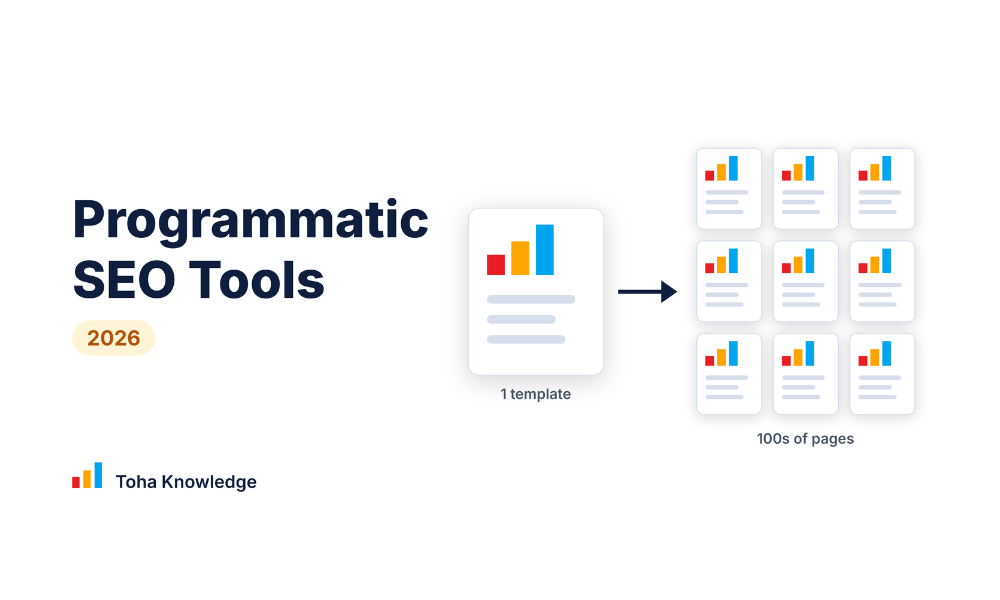
Comparing programmatic SEO tools is confusing because most lists rank them as if they all do the same job. They do not. One tool stores your data, another turns rows into pages, another publishes them, and another checks that they are good enough to get indexed. In this guide I group 12 tools by the job they do, give my pick for each job, explain what they cost as your page count grows, and show three starter stacks. I also explain the rules that decide whether programmatic pages rank, because the tool matters less than the data inside it.
Quick answer
There is no single best programmatic SEO tool, because the job has several parts: finding a keyword pattern, storing data, generating pages, publishing them, and checking that they get indexed. Here is my pick for each job. Pricing was checked on 24 October, 2025.
| Job | My pick | Why |
| Dedicated programmatic SEO platform | SEOmatic | Built for this one job: dataset, template, publish |
| Data source | Airtable | One row per page, easy for non-developers to edit |
| Database to CMS sync | Whalesync | Two-way sync keeps big page sets maintainable |
| WordPress publishing | WP All Import | Imports CSV, XML or JSON into posts and custom fields |
| Visual CMS (no code) | Webflow CMS | Design one template, every item becomes a page |
| AI content workflows | AirOps | Custom workflows for per-page content |
| Bulk AI articles | Byword | Article-style pages from a keyword list |
| Automation glue | Zapier | Connects tools that do not talk to each other |
| Per-page images | Placid | Unique images and social cards from templates |
| Data collection | Bardeen | Browser-based scraping and automation (use carefully) |
| Quality check | Screaming Frog | Finds duplicates, empty fields and broken links before launch |
| Keyword pattern research | [Ahrefs or Semrush, choose the one you use] | Find and size the pattern before you build |
Disclosure: I do not sell any of these tools. [Confirm this is true. If you use affiliate links, add: Some links below are affiliate links, so I may earn a commission at no extra cost to you.]
What programmatic SEO tools actually do
Programmatic SEO means creating many pages from one template and a structured dataset, for example ‘[tool] pricing’ or ‘[service] in [city]’. No single tool does everything, so I think of the work in three layers:
- Data layer: where each page’s facts live (Airtable, Google Sheets).
- Generation and sync layer: turns rows into pages (SEOmatic, Whalesync, WP All Import, AirOps).
- Publishing layer: the CMS where pages live and get indexed (WordPress, Webflow).
Around these sites are research tools (to find the pattern), automation tools (to connect things), and quality tools (to check the result).
One thing to remember before you pick any tool: a tool can create pages, but it cannot make them useful. Every page needs real data that the other pages do not repeat. I explain this in the best practices section below. For more background, read my guide on Programmatic SEO Trends 2026.
Quick comparison: programmatic SEO tools at a glance
Prices are approximate and were reported by third-party sources in 2026. I confirmed each one on the official site on 24 October 2026.
| Tool | Job | Works with WordPress | Starting price | Best for |
| SEOmatic | Generate and publish pages | Yes | $99 ~$699/mo | Teams that want an all-in-one builder |
| Airtable | Data source | Via sync or import | Free and Paid from ~$20/mo to Custom pricing | Organizing page data |
| Whalesync | Database to CMS sync | Yes | ~$16/mo ~ $160/mo | Airtable + Webflow stacks |
| WP All Import | Import into WordPress | Yes (WordPress only) | $199 ~ $169/yr | WordPress sites |
| Webflow CMS | Publishing | No | CMS plan ~$2,500/mo | Designed templates, no code |
| AirOps | AI content workflows | Via publish step | Free to premium | Custom AI generation |
| Byword | Bulk AI articles | Yes | $83/mo ~ $833/mo | Article-style pages |
| Zapier | Automation | Yes | $0 ~ $69/month | Connecting tools |
| Placid | Images, PDFs, video | Yes (plugin) | $19/ mo ~ $249 mo | Unique visuals per page |
| Bardeen | Data collection | Indirect | $10/ mo ~ $ 50/ month | Light scraping and enrichment |
| Screaming Frog | Quality check | Yes | Free ~ 199 Per Year | Pre-launch QA |
| Ahrefs | Pattern research | Yes | $129 ~ $449 /mo | Finding the keyword pattern |
The tools, one by one
1. SEOmatic: best dedicated programmatic SEO platform
Best for: teams that want one tool to build the template, connect the data and publish.
Key features:
- Connects a dataset from a spreadsheet, Airtable or a similar source
- A template builder with variables and AI-written sections
- Publishes page sets to WordPress, Webflow and other CMSs
Pricing: SEOmatic prices by the number of pages per month. Third-party reports from September 2026 list a free entry tier and paid plans starting around $129 a month for up to 1,000 pages, with a per-page charge when you go over your limit. Confirm the current plans and limits on the official pricing page before you rely on these numbers.
Pros:
- Built for programmatic SEO, so there is less stitching together
- Direct publishing to common CMSs
- Page-based pricing is easy to estimate
Cons:
- The quality of your data and template is still your job
- Costs can rise if you pass your plan limits
My take: If I wanted one tool made for this exact job, and I did not want to join several tools together, SEOmatic is the first one I would try. The risk sits in the template. If it only swaps a few words, you will create 1,000 near-copies instead of 1,000 useful pages. Try it on 20 pages first and read the output before you scale.
2. Airtable: best data source
Best for: storing one row per page, with the fields that make each page different.
Key features:
- A spreadsheet-style view on top of a real database
- Filters, views and status fields to manage a large page set
- AI fields that can draft text for each row
Pricing: Airtable has a free plan with limits on records. Paid plans are priced per user per month, and third-party reports put the entry paid plan at about $20 per user. Check the record limit of the plan you need, because a page set can grow past a free plan quickly.
Pros:
- Easy for non-technical people to edit and review data
- A free plan to start
- Connects with Whalesync, Zapier and Placid
Cons:
- It does not publish pages by itself
- Record limits on lower plans
My take: For me, the data is the real product in programmatic SEO, so I like having it in a place where I can sort, filter and review every row before it becomes a page. Add a Status column (draft, reviewed, approved) and only publish approved rows. That one habit prevents many thin pages.
3. Whalesync: best database-to-CMS sync
Best for: keeping a database such as Airtable in step with a CMS collection.
Key features:
- Two-way sync, so a change in either place is matched in the other
- Works with CMSs such as Webflow, WordPress and Framer
- Field mapping between your database and your CMS fields
Pricing: Third-party reports list plans from about $40 a month, with a short free trial. Confirm the current price, trial length and any limits on records or syncs on the official page.
Pros:
- Makes a large page set much easier to maintain
- A low entry price compared with all-in-one platforms
- Edits made in the CMS are not lost
Cons:
- It does not write content or research keywords
- CMS item limits still apply
My take: Whalesync is the glue for the popular Airtable + Webflow setup. If you are on WordPress and plan to use WP All Import, you may not need it. If you want a no-code stack where marketers can edit data and see pages update, it is a strong choice.
4. WP All Import: best for WordPress
Best for: WordPress sites like mine that want programmatic pages without changing platform.
Key features:
- Imports CSV, XML or JSON files into posts, pages and custom post types
- Maps columns into custom fields (for example ACF) and WooCommerce products
- Scheduled re-imports, so pages update when your data changes
Pricing: Third-party reports list yearly licenses from about $149 to $299, plus a lifetime option. There are no per-page fees. Confirm the current license options on the official site.
Pros:
- Keeps everything in a CMS you already own and control
- No limit on pages beyond what your hosting can handle
- Works alongside SEO plugins such as Rank Math
Cons:
- WordPress only
- It imports data but does not write content
- Large imports need good hosting
My take: Because this site runs on WordPress, this is the setup I would try first: data in Airtable or Google Sheets, WP All Import to create the posts, and Rank Math for titles and meta descriptions. Importing is fast, which is exactly the danger. Import a small batch as drafts, read a sample, and only then publish.
5. Webflow CMS: best visual CMS
Best for: designed, no-code templates for marketing teams.
Key features:
- Design one collection template, and every CMS item becomes a page
- SEO fields (title, meta description, slug) for each item
- API and sync tools for loading many items
Pricing: Third-party reports list the CMS plan from about $25 a month when billed yearly. Each plan has a limit on CMS items, and that limit decides how big your page set can grow, so check it against your dataset before you build.
Pros:
- Strong design control without writing code
- A large ecosystem of sync and import tools
- Clean output that search engines can read
Cons:
- CMS item limits per plan
- No built-in content generation
- Costs rise at large scale
My take: Webflow is a good choice if design matters and you do not want to manage WordPress. If you already have a WordPress site, moving only to build programmatic pages is rarely worth it. Pair it with Airtable and Whalesync for the most common no-code setup.
- AirOps: best for custom AI content workflows
Best for: teams that want to design their own generation steps and run them across many rows.
Key features:
- Build workflows that pull data, run AI steps and send the result to your CMS
- Run the same workflow on thousands of rows
- Add your own brand knowledge and rules to the AI steps
Pricing: AirOps is free to start, with usage based on tasks. Paid plan prices were not clearly listed in the sources I checked, so confirm the current plans on the official site, and say so in the article if they are still not public.
Pros:
- Flexible when a packaged tool does not fit your needs
- Free to start
- Enrichment and publishing can sit in one workflow
Cons:
- Someone has to build and maintain the workflows
- The quality of the result depends on how well they are designed
My take: AirOps makes sense when you have a clear data source and a clear idea of what each page should say. It is not the tool for a beginner who is still looking for a pattern. Start with a single workflow, review 20 outputs by hand, and fix the prompts before you run it on more rows.
7. Byword: best for bulk article-style pages
Best for: pages that are articles, such as ‘how to do X in Y’ or glossary entries, not data pages.
Key features:
- Upload a keyword list and generate articles in bulk
- Publish to common CMSs, including WordPress
- Internal links and images as part of the output
Pricing: Third-party reports list plans by number of articles: about $99 a month for 25 articles, about $299 for 80, and about $999 for 300. Confirm the current plans and article limits on the official page.
Pros:
- Fast for large keyword lists
- Direct publishing to a CMS
Cons:
- It writes articles. It does not build template pages from structured data
- You still choose the pattern and the keywords
- Bulk AI articles with nothing new in them are what Google’s spam policies warn about, so every batch needs human review
My take: I would use Byword only for pages where an article is truly the right format, and only after I have set a clear structure and tone. I would not publish a batch without reading a sample. If the articles sound like every other page on the topic, they will not help your site.
8. Zapier: best automation glue
Best for: moving data between tools that have no direct sync.
Key features:
- Triggers and actions that connect thousands of apps
- Scheduled and event-based automations
- No-code setup
Pricing: Zapier has a free plan with a small monthly task allowance. Paid plans scale with the number of tasks, so cost grows with volume. Confirm the current limits and prices on the official page.
Pros:
- Fills the gaps between your database, CMS and other tools
- Works without code
- Easy to test on a small batch
Cons:
- Costs rise with task volume
- You may not need it if you already use Whalesync or WP All Import
My take: I treat Zapier as a backup tool, not the foundation. If a direct sync or import covers your workflow, use that. If you need to connect two tools that do not talk to each other, for example sending a new Airtable row to an image generator, Zapier is the quick answer.
9. Placid: best for unique images on every page
Best for: adding a different image, social card or PDF to each generated page.
Key features:
- Design a template once, then fill its text and image layers with data from each row
- API, no-code integrations and a WordPress plugin
- Images, PDFs and video from templates
Pricing: Placid has a free tier with a small monthly image allowance and a watermark. Sources disagree about the paid plans: some list a starter plan at about $19 a month and others at about $29 for 1,000 images. Use the official pricing page for the real numbers.
Pros:
- Most programmatic pages share one stock image, so unique visuals help your pages stand out
- Works with Airtable, Zapier and similar tools
- Good for social cards and Open Graph images
Cons:
- Costs rise with the number of images
- Template quality varies, so test your design
My take: This is the tool most people forget. Text gets all the attention in programmatic SEO, but a page with a simple chart, a name and a data point looks far more useful than one with a stock photo. I would test it on 10 pages and compare how they look.
10. Bardeen: data collection (use carefully)
Best for: collecting and organizing public data from websites inside your browser.
Key features:
- Build scrapers and automations in a Chrome extension
- Enrich a list of rows with extra data
- Credit-based usage
Pricing: Bardeen’s pricing is hard to pin down. Third-party sites report a free monthly credit allowance (often 100 credits) and paid plans from about $10 a month, but they disagree about plan names and prices. Use only the official pricing page, and remember that large lists can use up credits quickly.
Pros:
- A quick, no-code way to gather data
- Useful for building a first draft of a dataset
Cons:
- Scraped data is the weakest kind for programmatic SEO, because anyone can copy it
- You must check each site’s terms and the law before you scrape
- Credits can run out fast on large lists
My take: I would use Bardeen to collect public facts I will then check, enrich and combine with my own analysis, never to copy a table and publish it. If the only unique thing about your pages is that you scraped them first, you have not built anything defensible.
11. Screaming Frog: best quality check before launch
Best for: crawling a page set to find problems before Google does.
Key features:
- Finds duplicate titles, empty fields, broken links and orphan pages
- Checks canonical tags and redirect issues
- Can detect near-duplicate content
Pricing: The free version crawls up to 500 URLs. The paid license is priced per user per year, and third-party reports list it at about £199. Confirm the current price and the free limit on the official site.
Pros:
- Cheap, and catches mistakes before they spread across hundreds of pages
- The free version is enough for a first test of 20 to 50 pages
Cons:
- It builds nothing; it only checks
- Desktop software with a learning curve
My take: Do not skip this step. A single empty variable in a template can create the same broken sentence on every page. A crawl of your staging pages takes minutes and tells you whether the set is safe to publish.
12. Ahrefs: best for finding the pattern
Best for: finding a head term with many searched variations, and checking volume and difficulty before you build.
Key features:
- Keyword research that lists the modifiers around a head term
- Volume and difficulty for each variation
- Rank tracking, so you can measure the page set after launch
Pricing: Both tools sell monthly plans, and entry plans sit roughly in the $100 to $300 a month range. Confirm the current prices. If you do not want to pay yet, Google Search Console and Google Keyword Planner are free places to start.
Pros:
- Shows demand before you spend time building
- Helps you see if a pattern has one consistent intent
Cons:
- Builds no pages
- Costly if you only need it once
Starter stacks and what they cost
I would not start with all twelve tools. Pick one stack. Costs are rough and monthly. Replace them with your verified prices.
| Stack | Tools | Rough cost | Best for |
| WordPress budget | Airtable (free) + WP All Import + Rank Math + Screaming Frog (free) | Lowest: free data and QA tools, one plugin license, hosting you already pay for | Sites already on WordPress |
| No-code | Airtable + Whalesync + Webflow CMS | Medium: database, sync tool and CMS plan, all paid monthly | Marketing teams who want design control |
| All-in-one with AI | SEOmatic or AirOps + your CMS | Highest per month, but the least setup time | Teams that want less manual setup |
Cost at different sizes: At 100 pages, free plans usually cover the data and QA tools, so your main cost is the importer or CMS plan. At around 1,000 pages, record limits and CMS item limits start to matter, and a paid plan for your database or CMS is likely. At 10,000 pages, per-page pricing and CMS plan limits become the highest cost, so add up the data, sync, generation, CMS, and image tools before you choose.
Programmatic SEO best practices for 2026
- Choose a pattern with one clear intent. Each variation of the keyword should want the same kind of answer. Check the search results for three or four variations before you commit.
- Use data that others cannot easily copy. Your own data is strongest. Public data that you enrich or score comes next. Scraped data is weakest.
- Make every page useful on its own. Ask yourself: would this page help a real visitor if search engines did not exist?
- Start small. Build 3-5 pages by hand, then 20-50 from the template. Wait for the results before you scale.
- Link the pages properly. Create hub pages, link related pages to each other, and keep orphan pages out.
- Crawl before you launch. Check for duplicate titles, empty variables, and broken links.
- Track index rate, not page count. A set of 500 pages with most indexed is better than 5,000 pages with few indexed. Merge, improve, or remove pages that stay unindexed.
Google’s spam policies say that creating pages at scale mainly to rank, with little value for visitors, is spam. If you have pages stuck in the Search Console, see my guide on: How to Fix Crawled – Currently Not Indexed
Frequently asked questions
What are the best programmatic SEO tools in 2026?
It depends on the job. SEOmatic is a dedicated platform, Airtable stores the data, Whalesync syncs it to a CMS, WP All Import publishes to WordPress, Webflow CMS is a visual option, and Screaming Frog checks the result. See the table at the top for my pick per job.
Does programmatic SEO still work in 2026?
It can, when each page gives real value with data that is different from the next page. Thin pages that only swap a keyword are the risk. Read Google’s current spam policies to see where the line is.
How many pages should I start with?
Start with 3-5 pages by hand, then 20–50 from the template. Check indexing and clicks for a few weeks before you build more.
Do I need to code?
No. Airtable with Whalesync and Webflow, SEOmatic, or Airtable with WP All Import can all be run without writing code.
Can AI write programmatic pages?
AI can help draft text, but each page still needs real data and human review. Bulk AI text with nothing unique is the weakest approach.
How do I check if my programmatic pages are indexed?
Use the Page indexing report in Google Search Console and inspect sample URLs. Track the share of pages indexed, not just the number published.
Do I need Zapier?
Only if your tools cannot sync directly. If you use Whalesync or WP All Import, you may not need it.
Webflow or WordPress for programmatic SEO?
Webflow gives easier visual design but has CMS item limits per plan. WordPress gives more control and no item limits beyond your hosting, but needs more setup. Choose the one you already use unless you have a strong reason to switch.
Will SEO exist in 5 years?
Yes. As long as people search for answers, something will decide which sources they see. SEO is now expanding to AI search as well as Google, and helpful content, a healthy site and real authority will still decide who gets found.