
If you have ever searched “marketing automation vs CRM”, you have probably read three pages that define both tools and end with “use both”. That is true, and it does not help you decide what to set up on Monday morning.
This guide gives you the difference in plain words, a table that tells you which one to start with, and one lead followed step by step through both. We also cover the mistakes that cause most of the mess.
Overview
A CRM records who your customers are and where each deal stands. Marketing automation sends the right message at the right time without you doing it by hand.
- Start with a CRM if you sell by talking to people, and you lose track of leads, notes or follow-ups.
- Start with marketing automation if you get many leads and send the same replies and reminders every time.
- You will need both as you grow, working from one list of contacts. Many platforms now include both, so you may not need two separate tools.
The difference in one table
| CRM | Marketing automation | |
| Main job | Keep a record of every contact and deal | Send messages and run actions automatically |
| Who uses it most | Sales and customer teams | Marketing teams |
| What it holds | Contacts, companies, conversations, deals, tasks | Email and text sequences, segments, triggers, campaigns |
| What starts an action | A person updates a deal or logs a call | A trigger, such as a form submit or a link click |
| What it shows you | Where each deal stands and who owns it | Who opened, clicked, replied or booked |
| The question it answers | “Who are my customers and what is happening with them?” | “What should we send this person next?” |
What a CRM does
CRM stands for customer relationship management. In practice, it is the one place where everything about a contact lives: name, company, conversations, deals, tasks and notes.
A CRM does three jobs:
- Keeps the record. Every lead and customer is in one place, not in a spreadsheet, an inbox and a notebook.
- Shows the pipeline. You can see which deals are new, which are waiting and which are stuck.
- Reminds people to act. It assigns tasks and tells you who needs a reply today.
Example: a lead asks for a quote on Monday. The CRM shows who spoke to them, what they asked and that a follow-up is due on Thursday. Without it, that detail sits in someone’s head.
What marketing automation does
Marketing automation is software that sends messages and runs actions for you, based on triggers. A trigger is something a person does, such as filling in a form, clicking a link or going quiet for a week.
It does three jobs:
- Replies fast. It sends an instant message when someone enquires, even at 2 a.m.
- Follows up. It sends a planned sequence of emails or texts, and stops when the person replies or books.
- Sorts people. It groups contacts by what they do, so the right people get the right message.
Example: someone downloads your guide. Automation sends a thank-you email, then a helpful email two days later, then an invitation to book a call. If they book, the sequence stops.
Why people confuse them
They use the same contacts and often live in the same product. A CRM can send emails, and automation tools keep contact records. The difference is the main job. One is built around the record. The other is built around the trigger.
Which one do you need first?
It depends on how your customers buy. Find your business type below.
| Your business | Start with | Add next | Why |
| Solo or small service business that books calls | CRM | Automation for instant replies and reminders | You lose track of leads first. Then you lose time on repeat replies |
| Local business with phone and walk-in leads | CRM | Missed-call text-back and appointment reminders | Most value comes from not missing a lead |
| Ecommerce store | Marketing automation | CRM data for repeat customers | Abandoned carts and order emails run on triggers |
| B2B or SaaS with a long sales cycle | CRM | Automation to nurture leads over weeks | Several people and many notes per deal |
| Agency managing client leads | CRM with automation in one platform | Reports per client | You need one view and fast set-up |
| Content-led business with a large email list | Marketing automation | CRM once sales calls begin | Volume is the problem, not deal tracking |
A simple rule: if the problem is “I lose track”, start with a CRM. If the problem is “I repeat myself”, start with automation. If both, pick one platform that does both.
This table is a guide, not a law. Your sales process matters more than the label on the software.
One lead, end to end
Definitions only go so far. Here is what happens when one lead moves through both. We built this flow for a sample service business in [PLATFORM], on [DATE]. It is a sample, not a client.
[DIAGRAM: lead journey. Form submitted, contact created, tag added, instant reply, follow-up sequence, call booked, sequence stops, deal created, task set for sales. Colour the CRM steps and the automation steps differently.]
| Step | What happens | Handled by |
| 1 | A visitor submits the enquiry form | Form |
| 2 | A contact is created and tagged with the source | CRM |
| 3 | An instant reply goes out with what happens next | Automation |
| 4 | A follow-up sequence starts: a helpful email on day 2, a reminder on day 4 | Automation |
| 5 | The lead books a call from the link | Booking calendar |
| 6 | The follow-up sequence stops | Automation |
| 7 | A deal appears in the pipeline at “Call booked” | CRM |
| 8 | A task is set for the sales person to prepare | CRM |
| 9 | After the call, the deal is moved to “Proposal” or “Lost”, and a different sequence starts | CRM and automation |
What this shows: the CRM holds the record and the stage. The automation reacts to what the person does. Neither can do the whole job alone. The sequence has to know whether the lead booked, which is data from the CRM. The CRM stays accurate because automation updates it.
Build time and what we tested: [Say how many minutes it took from an empty account to a working flow. Then list what happens if the lead replies, books, unsubscribes or is already in the system. Use only what you tested.]
The handoff from marketing to sales
Most guides skip this part, and it is where leads get lost. Agree on four things before you build anything.
- What is a qualified lead? Write it down. For example: asked for a quote, works in a target industry, or visited the pricing page twice. Keep it to two or three signals.
- What triggers the handoff? When a lead meets the rule, the automation creates a deal and a task in the CRM. It does not wait for someone to notice.
- Who owns it now? One named person. If two people own a lead, nobody does.
- What stops the marketing messages? When sales takes over, the nurture emails stop. Otherwise the lead gets a sales call and a marketing email in the same hour.
Write this on one page. Put it where both teams can see it.
All-in-one tool or separate tools?
Many platforms now include both a CRM and marketing automation. [Name the platforms you tested, with their current plans and limits. Check each on the vendor’s site.]
| All-in-one platform | Separate tools | |
| Set-up | One account, one set of contacts | Two accounts, and a connection between them |
| Cost | One bill, often lower to start | Two bills, and possibly an integration fee |
| Data | One record per contact | Needs syncing and field mapping |
| Strength | Speed and simplicity | Depth in each tool |
| Risk | One tool may be weaker in one area | Duplicate contacts and broken syncs |
| Best for | Small teams and agencies | Larger teams with specialist needs |
Check before you choose: the contact limit, the automation limits on your plan, which integrations you need, how reporting works, and the price when your list grows.
For most small businesses, one platform that covers both is the faster and safer start. Move to separate tools only when a real limit stops you.
Common mistakes, and the fix
| Mistake | What goes wrong | Fix |
| Duplicate contacts | The same person gets two emails, and notes are split | Use email address as the unique key, and merge duplicates monthly |
| No record of consent | You cannot show why you emailed someone | Record where and when each person opted in, and always include an unsubscribe link |
| Automation keeps going after a booking | The lead is chased after they have already booked | Make “booked” a stop condition in every sequence |
| Messy fields | Reports cannot be trusted | Agree a short list of fields, and use drop-downs, not free text |
| No owner for a lead | Nobody follows up | Assign every deal to one named person |
| Too many automations too soon | You cannot tell what is working | Launch one flow, review it for two weeks, then add the next |
On consent: the rules differ by country, so check the official guidance for the places you send to before you write your process. [Add links to the official GDPR and CAN-SPAM pages you checked.]
How AI is changing both
Both kinds of tool now include AI features. Typical examples are drafting a reply, summarising a conversation or suggesting which leads to follow up first. [Describe only the AI features you have tested, and name the tool.]
A rule that holds up well: let AI draft and sort, and let a person decide anything that involves price, a promise or a complaint.
A four-week set-up order for a small business
- Week 1: choose one platform, import your contacts, and set up your pipeline stages.
- Week 2: build the instant reply and booking flow from the lead example above.
- Week 3: add a follow-up sequence that stops on reply or booking.
- Week 4: review the numbers: leads, replies, bookings. Fix the weakest step first.
Do one thing at a time. A simple flow that works beats a clever one that nobody trusts.
FAQ
Is marketing automation part of a CRM? Sometimes. Many CRMs include automation features, and many automation tools keep contact records. Check what your plan includes, because the features and limits vary.
Can a CRM do marketing automation? Often, in a basic way, such as sending an email when a deal moves to a new stage. Check the limits on your plan for sequences, segments and triggers.
Do small businesses need both? Usually, yes, in time. Start with the one that fixes your biggest problem, and choose a platform that can add the other.
Which comes first, a CRM or marketing automation? If you lose track of leads, start with a CRM. If you repeat the same messages, start with automation. The decision table above shows which fits your business type.
Can I use one tool for both? Yes. Many platforms combine them, and for a small team this is often the simplest start.
The verdict
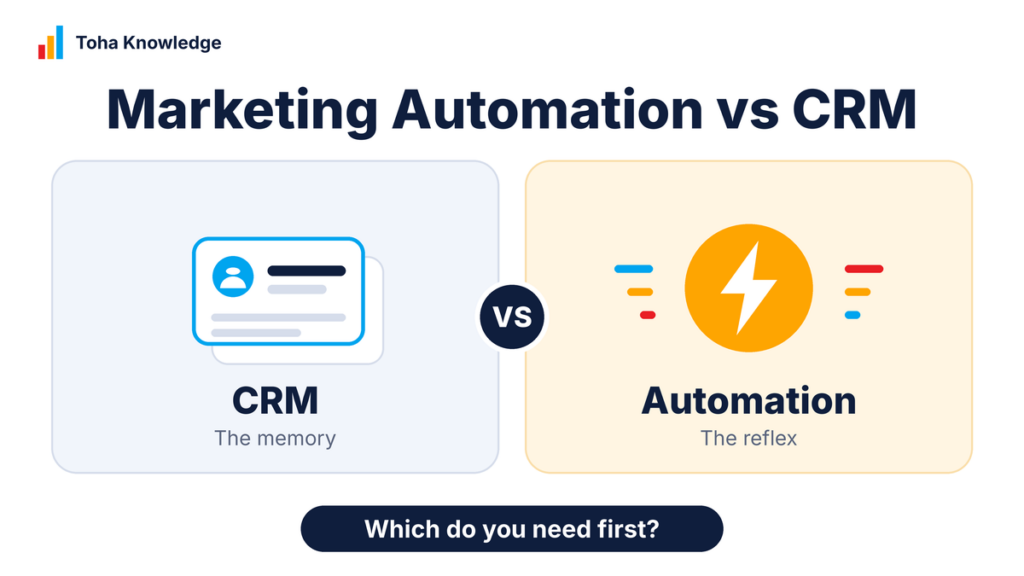
A CRM and marketing automation do different jobs, and they work best from one set of contacts. If you remember one thing: the CRM is the memory, and automation is the reflex. Start with whichever fixes your biggest problem, keep one list of contacts, and add the other once the first is working. [Add one sentence from your own test.]
Want it set up for you?
We build CRM and automation set-ups, including the lead flow in this guide, at Toha Knowledge. We start with a short audit of how your leads move today, then build the simplest flow that works. Contact us to get started