
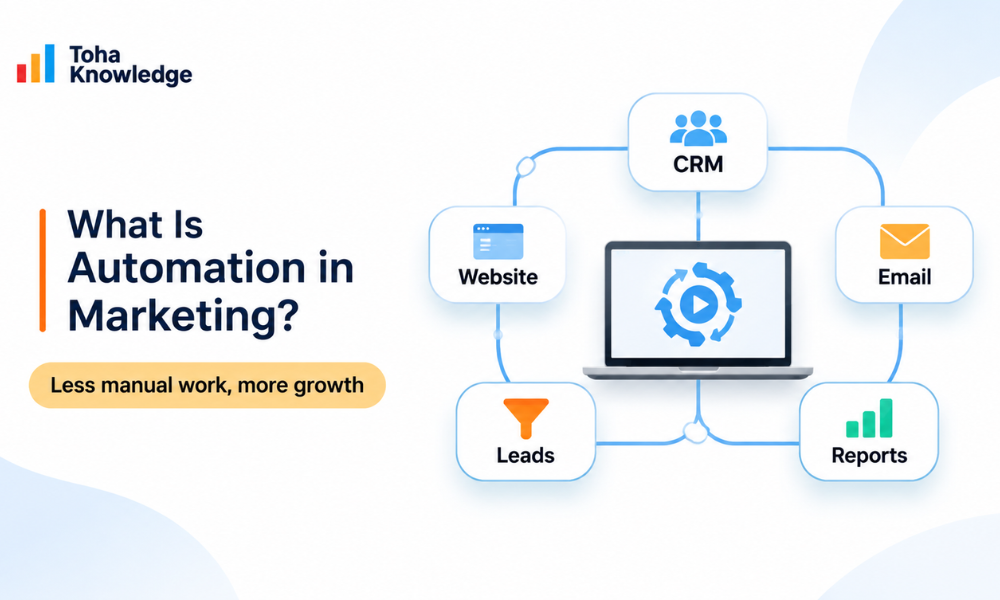
Marketing automation is technology that carries out marketing actions for you, automatically and at the right moment, based on what your customers do and what you know about them. Marketing teams use it to automate repetitive work such as email campaigns, social media posting, lead nurturing and ad targeting. The point isn’t only efficiency. It also gives each customer a more personalized experience.
The impact can be significant. Research widely attributed to The Annuitas Group found that businesses that use marketing automation to nurture prospects see a 451% increase in qualified leads. Today, roughly three out of four businesses use some form of marketing automation, and email is the most automated channel.
Take a simple case. Without automation, someone downloads your eBook, and a marketer has to notice, export the contact, write a follow-up email and remember to send it. With automation, the download itself triggers a welcome email, tags the contact by interest, adds them to a nurture sequence and alerts sales if they visit your pricing page. Nobody has to do anything by hand.
At its core, automation in marketing replaces repetitive manual work with rules-based (and increasingly AI-driven) workflows. The goal isn’t to remove people from marketing. It’s to let them focus on strategy, creativity and relationships while software handles the timing and the execution.
Manual vs. Automated Marketing
| Task | Manual marketing | Automated marketing |
| Welcome new subscribers | Sent in batches, often days later | Sent instantly after sign-up |
| Lead follow-up | Depends on someone remembering | Triggered by behavior, every time |
| Segmentation | Spreadsheets and exports | Dynamic lists that update in real time |
| Personalization | Generic “Hi there” | Name, interests, stage and behavior |
| Reporting | Pulled together by hand each week | Live dashboards |
| Scaling | More leads means more staff | More leads, same effort |
How Does Marketing Automation Work?
Every marketing automation system, from a simple email tool to an enterprise platform, follows the same four-stage cycle.
1. Data Collection
Automation runs on data. Your platform collects information from:
- Forms and landing pages (name, email, company, interests)
- Website tracking (pages visited, time on site, downloads)
- Email engagement (opens, clicks, replies)
- Your CRM (deal stage, purchase history, account owner)
- Ecommerce and app activity (carts, orders, logins)
The cleaner and more complete this data is, the smarter your automation becomes.
2. Segmentation and Lead Scoring
Next, contacts are grouped into segments based on shared traits or behavior, such as “trial users who haven’t logged in for 7 days” or “B2B leads in healthcare.”
Lead scoring gives points for actions and attributes. For example:
- Visited the pricing page: +15
- Opened 3 emails: +5
- Job title includes “Director”: +10
- No activity for 30 days: −10
When a lead passes a threshold, they can be automatically marked “sales-ready.”
3. Triggers → Conditions → Actions
This is the engine of every marketing automation workflow:
- Trigger: the event that starts the workflow (a form submission, a purchase, a cart left behind).
- Condition: the logic that decides which path to take (Is the person a customer? Did they open the last email?).
- Action: what happens next (send an email, update a field, notify a sales rep, add to an ad audience).
Workflows can include delays (“wait 2 days”) and branches (“if they clicked, do X; if not, do Y”), which is what makes them feel personal rather than robotic.
4. Measure and Optimize
Finally, the platform tracks results: open rates, conversions, pipeline created, revenue influenced. Marketers use these insights to A/B test subject lines, adjust timing and refine scoring. The cycle then repeats, and each round makes the system more effective.
[Visual: a 4-step circular diagram showing Collect → Segment → Automate → Optimize]
Marketing Automation Workflow Examples
Theory is easier to grasp with real workflows. Here are five that almost every business can use.
1. Welcome and Onboarding Workflow
Trigger: A new subscriber or customer signs up.
- Immediately: Send a welcome email with what to expect, plus a quick win (a guide, discount or setup tip).
- Day 2: Share your most popular resource or product.
- Day 4: Tell your brand story or show social proof.
- Day 7: Make a soft offer or invite them to book a call.
- Goal: Build trust and get the first conversion.
2. Lead Nurturing Workflow (B2B)
Trigger: A lead downloads a gated asset (an eBook, report or template).
- Send the asset straight away.
- Day 3: Follow up with related educational content.
- Day 7: Send a case study relevant to their industry (use their form data).
- Branch: If lead score > 50, alert a sales rep and create a CRM task. If not, continue the nurture.
- Goal: Warm leads up until they are sales-ready.
3. Abandoned Cart Workflow (Ecommerce)
Trigger: A product is added to the cart but no purchase is made within 1 hour.
- 1 hour: Send a reminder email with the product image.
- 24 hours: Send a second reminder with reviews or FAQs that answer common objections.
- 48 hours: Offer a time-limited incentive (optional).
- Exit condition: The workflow stops as soon as they buy.
- Goal: Recover lost revenue.
4. Re-Engagement (Win-Back) Workflow
Trigger: No opens or clicks in 90 days.
- Send a “We miss you” email with your best recent content or offer.
- Day 5: Ask about preferences (“What would you like to hear about?”).
- Day 10: If there’s still no engagement, send a final notice and suppress or remove them from the list.
- Goal: Revive interested contacts and clean your list to protect deliverability.
5. Webinar and Event Workflow
Trigger: Someone registers for a webinar.
- Send a confirmation with a calendar link.
- Send reminders 1 day before and 1 hour before.
- After the event: Attendees get the recording plus a next-step offer. No-shows get the recording plus a “sorry we missed you.”
- Goal: Increase attendance and turn interest into pipeline.
[Visual: one flow diagram per workflow showing trigger, delays, branches and goal]
Which Marketing Processes Can You Automate?
Almost any repetitive, rules-based task can be automated. The most common ways to automate marketing processes include:
- Email marketing: welcome series, nurture campaigns, birthday and anniversary messages, product recommendations
- SMS and WhatsApp: order updates, appointment reminders, flash-sale alerts (with consent)
- Social media: scheduling posts, recycling evergreen content, routing social leads into your CRM
- Paid ads: syncing segments to retargeting audiences and excluding existing customers
- Lead management: capture, scoring, routing and assignment to sales reps
- Website personalization: showing different content or CTAs to returning visitors or specific segments
- Chatbots: answering FAQs, qualifying leads and booking meetings
- Reporting: scheduled dashboards and alerts when key metrics drop
What Should You Automate First?
Start where the impact is highest and the setup is simplest:
- Welcome email series: easy to build, and new subscribers are at their most engaged.
- Lead capture → CRM sync: stops leads from falling through the cracks.
- Abandoned cart or demo follow-up: recovers revenue you’ve already earned an interest in.
- Lead scoring and sales alerts: helps sales prioritize.
- Re-engagement: keeps your list healthy.
Benefits of Automation in Marketing
- It saves time on repetitive work.
Tasks that took hours each week, such as sending follow-ups, updating lists and building reports, run in the background. - Personalization at scale.
Each contact gets messages based on their behavior and stage, whether you have 500 contacts or 500,000. - Faster response times.
Automation reacts in seconds. A lead who gets a relevant reply right away is far more likely to engage than one who waits days. - Better lead quality for sales.
Scoring and nurturing mean sales talks to people who are actually ready, not cold contacts. - Consistent customer experience.
Every customer gets the same well-designed journey, with no forgotten follow-ups. - Clearer ROI.
Because every action is tracked, you can see which campaigns create pipeline and revenue.
What Is Marketing Automation in CRM?
Marketing automation in a CRM means your automation workflows run directly on, or in sync with, your customer relationship management (CRM) data. Instead of marketing and sales working from separate lists, everyone uses one shared record for each contact.
CRM vs. Marketing Automation Platform: What’s the Difference?
| CRM | Marketing automation platform | |
| Main purpose | Manage relationships, deals and the sales pipeline | Attract, nurture and convert leads |
| Main users | Sales and customer service | Marketing |
| Key features | Contact records, deal stages, tasks, sales forecasting | Email workflows, lead scoring, segmentation, landing pages |
| Focus | One-to-one interactions | One-to-many, personalized at scale |
They work best together. The CRM holds the truth about the customer, and marketing automation acts on it.
How CRM Automation Powers Marketing
With CRM automation for marketing, you can:
- Trigger campaigns from deal stages. For example, send onboarding content when a deal is marked “Closed Won.”
- Update lifecycle stages automatically (subscriber → lead → MQL → SQL → customer).
- Personalize with sales data, such as account owner name, industry or products purchased.
- Avoid awkward mistakes, like sending a “Book a demo” email to someone already in late-stage negotiations.
- Attribute revenue to the campaigns that influenced each deal.
Native CRM Automation vs. Integrated Tools
Some platforms combine CRM and marketing automation in one system. Others connect separate tools through native integrations or middleware. An all-in-one system is simpler to manage. Separate best-in-class tools give more flexibility but need careful data syncing. Whichever you choose, make sure contact data moves both ways in real time.
Sales and Marketing Automation: Aligning Both Teams
The handoff between marketing and sales is where many leads get lost. Sales and marketing automation closes that gap.
How it works in practice:
- Marketing captures and nurtures a lead with automated content.
- The lead’s score crosses the agreed threshold and becomes a Marketing Qualified Lead (MQL).
- Automation assigns the lead to the right rep (by territory, industry or round-robin) and creates a follow-up task.
- The rep gets an instant alert with the lead’s activity history.
- If sales doesn’t act within the agreed time (for example, 24 hours), automation escalates to a manager.
- If the lead isn’t ready, sales marks it “recycle,” and it goes back into a marketing nurture track.
Sales automation features worth using:
- Automated email sequences for reps
- Meeting scheduling links
- Task reminders and deal-stage updates
- Alerts when a prospect revisits key pages
The result: marketing knows which leads become revenue, and sales spends time only on prospects who are ready.
Best Automated Marketing Tools (Compared)
The right automated marketing tool depends on your size, budget and how closely you want marketing tied to your CRM.
| Tool | Best for | CRM included? | Pricing level | Learning curve |
| HubSpot Marketing Hub | SMBs to mid-market wanting an all-in-one tool | Yes (built in) | Free tools, then mid to high | Easy |
| Salesforce Marketing Cloud / Account Engagement | Enterprises already on Salesforce | Connects to Salesforce CRM | High | Steep |
| Adobe Marketo Engage | Complex B2B programs | Integrates with major CRMs | High | Steep |
| ActiveCampaign | SMBs that need strong email automation | Yes (sales CRM add-on) | Low to mid | Moderate |
| Brevo | Budget-conscious teams; email + SMS | Basic CRM included | Free tier, then low | Easy |
| Klaviyo | Ecommerce brands | Customer data platform for ecommerce | Free tier, then scales with contacts | Moderate |
| Zoho Marketing Automation | Businesses using Zoho apps | Integrates with Zoho CRM | Low to mid | Moderate |
| Mailchimp | Small businesses and beginners | Basic audience management | Free tier, then low to mid | Easy |
How to Choose a Marketing Automation Tool
Ask these questions before you buy:
- Does it integrate with my CRM (or include one)?
- Which channels do I need? Email only, or SMS, social, ads and web too?
- How big is my contact list now, and in two years? (Many tools charge by contact.)
- Who will run it? A visual workflow builder matters if you have no technical staff.
- What reporting do I need? Basic email metrics, or full revenue attribution?
- Does it support compliance? Consent tracking, double opt-in, GDPR tools.
- What support and onboarding come with it?
Marketing Automation as a Service: Should You Outsource?
Not every business has the time, skills or headcount to build and manage automation in-house. Marketing automation as a service means a specialist agency or consultant designs, builds, runs and optimizes your automation for you, usually on a monthly retainer.
What’s Typically Included
- An audit of your current tools, data and customer journey
- Platform selection, setup and CRM integration
- Workflow strategy and build (welcome, nurture, cart, re-engagement)
- Email and landing page copy and design
- Lead scoring models and sales handoff rules
- Ongoing A/B testing, reporting and optimization
In-House vs. Outsourced
| In-house | Marketing automation as a service | |
| Speed to launch | Slower (learning curve) | Faster (proven playbooks) |
| Cost | Salaries + training + tools | Monthly fee + tools |
| Expertise | Limited to your team | Specialists across platforms |
| Control | Full | Shared, with reporting |
| Best for | Large teams with in-house skills | SMBs, growing teams, complex migrations |
Outsourcing makes sense if you’ve bought an automation tool but use only 10% of it, your leads aren’t followed up consistently, or you need results quickly without hiring.
AI and the Future of Marketing Automation
Automation is moving from fixed rules to intelligent, adaptive systems. Here’s what’s changing:
- Predictive lead scoring: AI learns which attributes and behaviors predict a sale, instead of relying on points set by hand.
- Generative content: AI drafts email variations, subject lines and ad copy for testing.
- Send-time optimization: each contact gets messages when they’re most likely to engage.
- AI agents: new tools can plan, launch and adjust campaigns on their own within limits you set, for example qualifying leads in chat or rebuilding segments.
- Next-best-action recommendations: the system suggests the most effective next message or offer for each person.
The human role shifts from building every step to setting strategy, guardrails and brand voice, and to reviewing what AI produces.
Compliance and Common Marketing Automation Mistakes
Stay Compliant
Automation sends messages at scale, so mistakes scale too. Follow the rules where your audience lives:
- GDPR (EU/UK): you need a lawful basis, usually explicit consent, for marketing messages, plus easy access to and deletion of personal data.
- CAN-SPAM (US): use accurate sender information, honest subject lines, a physical address and a working unsubscribe link.
- CASL (Canada): consent is required before sending commercial messages.
- SMS and WhatsApp: collect separate, explicit opt-in.
Also protect deliverability: authenticate your domain (SPF, DKIM, DMARC), remove inactive contacts and avoid sudden spikes in sending volume.
This section is general information, not legal advice. Check the rules that apply to your business.
Common Mistakes to Avoid
- Automating a broken process. Fix your strategy first, then automate it.
- Over-emailing. Set frequency caps and exit conditions.
- Dirty data. Duplicates and outdated contacts ruin personalization.
- “Set and forget.” Review workflows at least every quarter.
- Robotic copy. Automated doesn’t have to sound automated. Write like a person.
- No sales alignment. Agree on MQL definitions and follow-up rules together.
- Measuring vanity metrics only. Track pipeline and revenue, not just opens.
How to Get Started with Marketing Automation (Step by Step)
- Set one clear goal. For example, “Increase demo bookings from content leads by 20% in 90 days.”
- Audit your data. Clean your contact list, check consent and connect your CRM.
- Map the customer journey. Write down the stages from first visit to purchase and repeat purchase.
- Choose your tool. Use the checklist above, or bring in a marketing automation service partner.
- Build one workflow first. Usually a welcome series or lead nurture.
- Test everything. Check links, personalization fields, delays and branches with test contacts.
- Launch, measure and optimize. Review the results after 30 days, then add the next workflow.
Start small, prove it works, then scale.
Frequently Asked Questions
What is automation in marketing in simple words?
It’s using software to do repetitive marketing tasks for you, such as sending the right email when someone signs up or alerting sales when a lead is ready. The software follows rules you set, based on customer behavior and data.
Is marketing automation the same as a CRM?
No. A CRM stores and manages customer relationships and sales deals. Marketing automation uses that data to run personalized campaigns automatically. Many platforms now combine both, and they work best when they’re connected.
How much does marketing automation cost?
Prices range from free plans for small lists to thousands per month for enterprise platforms. Most tools charge by number of contacts and features. Don’t forget setup, content and management time, or the cost of an agency if you outsource.
Can small businesses use marketing automation?
Yes. Small businesses often benefit the most, because automation does the work of extra staff. A single welcome series or abandoned cart workflow can deliver results quickly with an affordable tool.
What are examples of marketing automation?
Common examples include welcome email series, abandoned cart reminders, lead nurturing sequences, birthday offers, webinar reminders, re-engagement campaigns, lead scoring and automatic sales alerts.
Does marketing automation replace marketers?
No. It replaces repetitive tasks, not strategy or creativity. Marketers still define the audience, the message, the offer and the brand voice. Automation just delivers it at the right time.
How long does it take to see results?
Simple workflows like welcome or cart recovery can show results within weeks. Full lead nurturing and sales alignment usually take 2–3 months to show a clear effect on pipeline.
Conclusion
Automation in marketing isn’t about sending more messages. It’s about sending the right message to the right person at the right time, without doing it by hand. Once you understand how marketing automation works, connect it to your CRM and build a few high-impact workflows, you get a system that nurtures leads, supports sales and grows revenue around the clock.
Start with one workflow. Measure it. Improve it. Then scale.